MeshCore explained
A practical introduction to off-grid, long-range text messaging using LoRa radio hardware — what it is, how it works, and how radio amateurs can experiment with it.
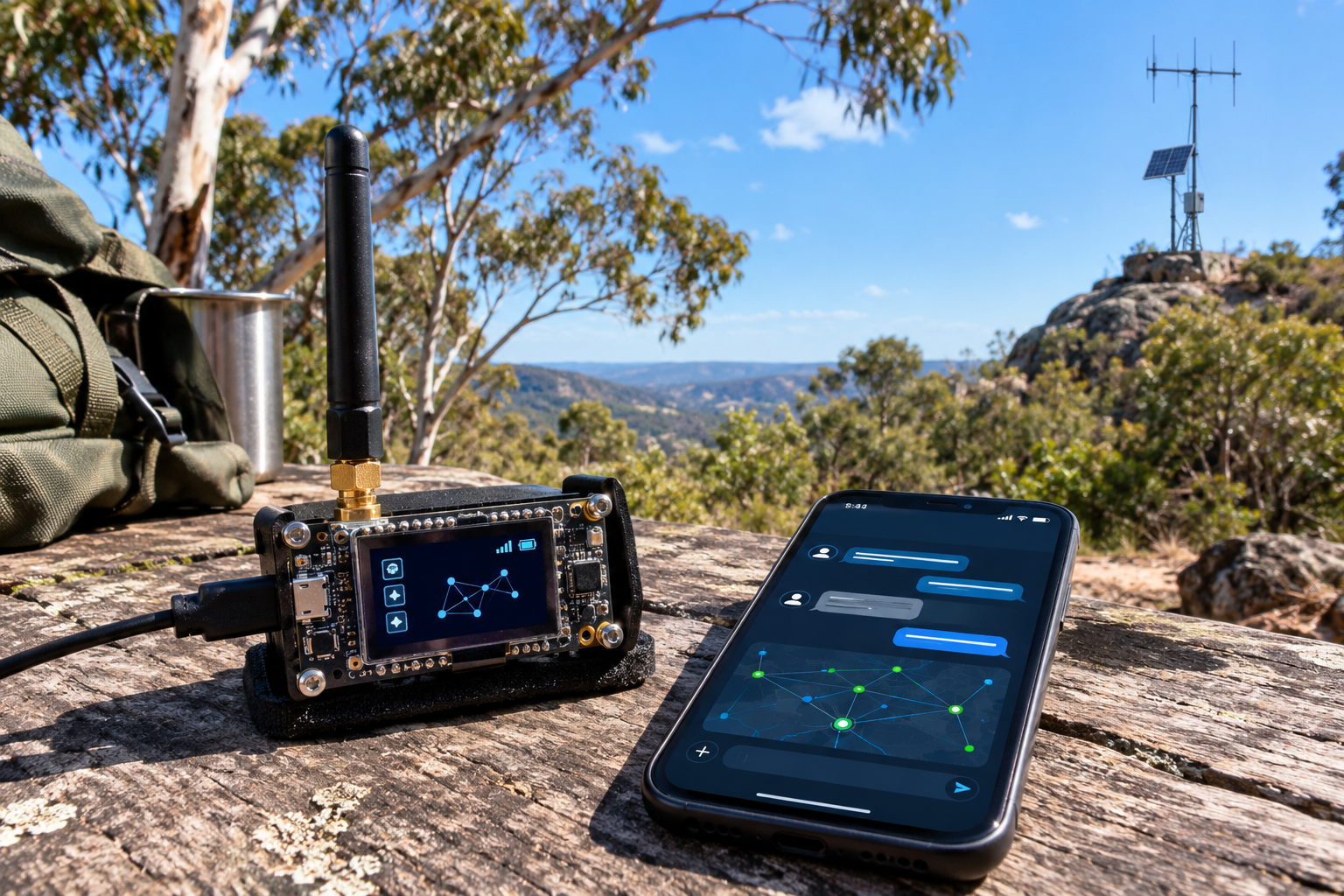
Illustrative image. Device appearance and on-screen graphics are not a literal screenshot of the MeshCore app.
What is MeshCore?
MeshCore is an open-source digital communications system that uses LoRa-capable radio devices to exchange text messages over a local radio network. It is designed for messaging where ordinary internet or mobile-phone coverage may be unavailable. A network can operate without a central internet service, provided the radios can reach one another directly or through suitable repeaters.
LoRa is a low-power radio modulation technology designed for sending small amounts of data over useful distances. MeshCore adds firmware, addressing, message handling and routing so supported devices can exchange messages across multiple radio links.
The MeshCore project publishes firmware and tools as open source. The phone and computer apps provide the user interface; the LoRa device provides the radio link. Supported hardware and features change over time, so check the official flasher list before buying or updating equipment.
How does a MeshCore network work?
A message is sent from a user's companion radio. If the destination is not within direct radio range, a compatible repeater may forward the packet along a known path. The destination radio then delivers the message to its user. Terrain, antenna height, interference, configuration and network activity all affect whether a message gets through.
Simplified illustration. A real route may use no repeater or more than one repeater.
Local radio, not internet
Messaging between compatible nodes does not inherently need Wi-Fi, cellular service or an internet connection. The app may need internet for downloads, maps or other online services, but that is separate from the radio message path.
Messages, not broadband
LoRa has limited data capacity. MeshCore is suited to text and small data packets rather than voice conversations, large files, streaming video or ordinary web browsing.
Unlike systems where every client automatically repeats all traffic, MeshCore's normal design uses designated repeater nodes to forward packets. This helps keep ordinary companion devices from adding uncontrolled repeat traffic. Exact routing behaviour depends on firmware and network configuration.
Understanding the main device roles
1. Companion node
The usual starting point for an individual user. A small LoRa device runs companion firmware and connects to a phone or computer over a supported interface such as Bluetooth, USB or Wi-Fi, depending on the device and firmware variant.
Use it for: sending and receiving direct messages and participating in channels.
2. Repeater
A dedicated radio node that forwards eligible MeshCore packets, helping link users who cannot hear each other directly. A well-sited repeater can be more valuable than simply increasing transmit power.
Use it for: extending coverage across a town, valley or wider local area.
3. Room server
A message-storage service for shared posts. It can allow users to retrieve stored messages when they reconnect, rather than relying only on being in radio range at the moment a channel message is sent.
Use it for: community bulletin-board style messages and asynchronous group communication.
How could radio amateurs use MeshCore?
Club messaging
Set up a local text network for club members, field-day coordination, event logistics or informal announcements where coverage permits.
Portable and remote activities
Experiment with messaging between hikers, campers, portable stations or members working in areas with poor mobile coverage.
Emergency-preparedness exercises
Test a low-power, independent message path as one part of a broader communications plan. It should complement—not replace—reliable emergency communications procedures.
Repeater and antenna experiments
Compare line-of-sight paths, antenna heights, site locations, power use and message reliability. Keep notes on conditions and results.
Digital experimentation
Explore embedded firmware, packet routing, network monitoring, device management and possible integrations with other systems where interfaces and permissions allow.
Community network building
Coordinate with nearby users to establish compatible settings and well-sited repeaters. A useful network depends on shared configuration and local participation.
Getting started: a sensible first setup
- Check local compatibility and rules.
Confirm the hardware supports MeshCore and identify the frequency, antenna and transmit-power requirements applicable to your intended use in Australia. - Choose a supported LoRa device.
A companion-capable device is normally the simplest entry point. Examples listed by the project have included the Heltec V3 and several RAK and Seeed devices; the supported list changes. - Install the client app.
Use the official MeshCore site to find the current Android, iOS, desktop or web-client options. - Flash the correct firmware.
Use the official MeshCore Flasher and select the exact device model and intended role. Firmware flashing can erase existing settings, so read the instructions first. - Configure the radio.
Set the correct regional frequency and the required radio parameters for your network. Do not assume that a setting used overseas is suitable in Australia. - Test nearby first.
Exchange short messages with another node at a known distance. Then test from different locations and record whether terrain or antenna placement changes the result. - Consider a repeater only when useful.
If direct range is insufficient, work with local users to identify a suitable site, power source, antenna and configuration. Obtain permission before installing equipment at a site.
Radio considerations for Australian operators
MeshCore is software and a network protocol; it does not itself grant permission to transmit on a particular frequency. The frequency band and permitted operating conditions depend on the service and regulatory arrangements under which the equipment is used.
- Confirm the band: do not copy 868 MHz or 915 MHz settings from overseas guides without checking Australian requirements and the device's regional variant.
- Amateur licence conditions: if operating under an amateur licence, check current ACMA requirements for the band, station identification, permitted emissions, power and any restrictions that apply.
- Unlicensed devices: equipment operated under a class-licence or other non-amateur arrangement may have different conditions. Do not assume amateur-licence privileges apply to it.
- Encryption and message content: consider the rules that apply to the radio service you are using. Amateur radio regulations can restrict messages encoded for the purpose of obscuring their meaning; verify the current rules before using encrypted messaging on amateur frequencies.
- Network etiquette: keep messages concise, avoid unnecessary traffic and coordinate settings with local operators to reduce interference and incompatibility.
- Coverage is not guaranteed: LoRa range varies substantially with terrain, antenna placement, noise and network load. A map marker does not prove that a reliable radio path exists.
This is general educational information, not legal advice. Consult the current Australian Communications and Media Authority (ACMA) material and your relevant licence conditions before transmitting.
What MeshCore does not do
It is not a voice mode
MeshCore is primarily for digital text messaging and small packets. Use conventional amateur radio modes for voice unless a separate, specifically supported system is being used.
It is not guaranteed emergency service
Nodes can be out of range, misconfigured, obstructed or out of power. Treat it as an experimental or supplementary communications tool, not a guaranteed lifeline.
It is not automatically a public internet gateway
A local MeshCore network can work without internet, but bridging it to external services requires extra software, connectivity and careful configuration.
It is not one universal radio setting
Nodes must be configured compatibly. Regional frequency plans and firmware support differ, and not every LoRa board is supported.
Official links and further reading
Use these project resources for current downloads, hardware compatibility and technical instructions. Links were checked while preparing this guide; project pages and device support can change.
RockyMesh radio settings
Start with Australia QLD default setting
This will set Frequency to 923.125MHz Bandwidth of 62.5 kHz Spreading factor of 8 and Coding rate to 5. Only change Coding rate from 5 to 6.
The only other setting change from default is Hash Bytes, default is 1 byte Hash change to 2 byte Hash. This will limit hops to 32 however the number of times the first 2 characters of the public keys are duplicated is very interesting. Using the first 4 characters all but stops conflicts.
In summary
MeshCore gives experimenters a way to build a low-power, radio-based text-messaging network using supported LoRa devices. Start with a companion node, learn how messages move, and then explore repeaters or room servers as local needs develop. For amateur radio use in Australia, the key first step is to confirm the correct frequency and regulatory conditions before transmitting.
Editorial note: This is an independent educational guide for amateur-radio readers, not an official MeshCore publication. “MeshCore” and associated marks belong to their respective owners. The hero illustration is illustrative, not an official product photograph. I case you're wondering this is mostly AI complied information.